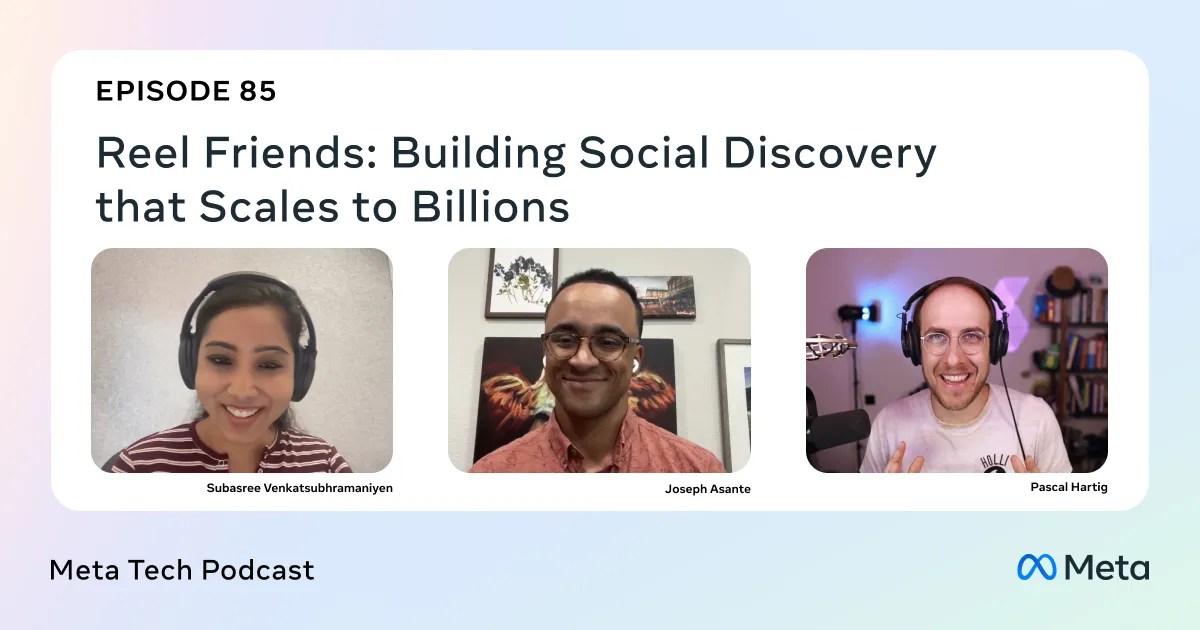
What seems like a simple feature—Friend Bubbles on Facebook Reels—actually required months of deep engineering, machine learning refinements, and a few unexpected breakthroughs. In a recent Meta Tech Podcast episode, software engineers Subasree and Joseph from the Facebook Reels team shared the inside story of building social discovery that scales to billions. This Q&A breaks down their key insights, from the evolution of the recommendation model to the surprising difference between iOS and Android users. Whether you’re a developer, product manager, or just curious about what powers your feed, these answers reveal the hidden complexity behind a seemingly straightforward UI element.
What exactly is the Friend Bubbles feature on Facebook Reels?
Friend Bubbles is a social discovery feature that shows you a visual indicator—a small bubble with a friend’s profile picture—when that friend has watched or reacted to a particular Reel. The idea is to surface content your social circle has already engaged with, making it easier to find videos you might enjoy based on trusted recommendations. On the surface, it’s a simple way to merge algorithmic discovery with social proof. But under the hood, the feature required building a real-time system that could track billions of interactions, aggregate them per Reel, and display a personalized set of friends for each user without overwhelming the interface. It’s a delicate balance between relevance, recency, and privacy, all while keeping the experience fast and fluid on both mobile platforms.
Why was building Friend Bubbles more complex than it appeared?
While the visual design is minimal—just a small circle with a friend’s avatar—the engineering behind it had to solve several hard problems. First, the feature needed to handle massive scale: Facebook has billions of users, and each Reel can be watched by millions. Identifying which friends to show required a real-time aggregation pipeline that could filter and rank connections without adding latency. Second, the team had to decide what constituted “engagement”—does a like count more than a view? Does a share override a comment? Third, they needed to ensure the bubbles didn’t clutter the screen or misrepresent engagement (e.g., showing a friend who watched by accident). Finally, they had to make the feature work reliably across iOS and Android, which turned out to have fundamentally different user behaviors that required separate optimizations. The seemingly simple UI hid a world of back-end complexity.
How did the machine learning model evolve for Friend Bubbles?
The initial model for Friend Bubbles was a straightforward collaborative filtering approach: if a friend watched a Reel, you’d see their bubble. But the team soon realized that wasn’t enough. A user might have hundreds of friends who watched the same viral Reel—showing all of them would be overwhelming and wouldn’t surface the most relevant connections. Subasree and Joseph explained how they iterated to a model that factored in the strength of the friendship, the recency of interaction, and the user’s own viewing history. They also added signals like mutual friends who engaged, and weighted reactions (e.g., a friend who shared or commented was more valuable than one who simply viewed). The model went through three major versions: first, a simple frequency-based filter; second, a graph neural network that learned social affinity; and third, a lightweight on-device model that could update bubbles without calling the server every time a friend watched a Reel. Each evolution brought significant improvements in user engagement.
What were the key differences between iOS and Android user behaviors?
One of the most surprising findings during development was how differently iOS and Android users interacted with Reels—and consequently, with Friend Bubbles. On iOS, users tended to scroll more deliberately, pausing on Reels that had obvious social signals (like friend bubbles). This meant iOS users were more likely to tap on a bubble to see who had watched, which increased the feature’s utility. On Android, users scrolled faster and relied more on the algorithmic feed; they rarely tapped on social indicators unless the Reel was already trending. The engineers had to adjust the bubble’s display frequency and the model’s confidence threshold per platform. For example, on Android, they increased the minimum number of friends needed to show a bubble, because showing just one friend didn’t drive action. They also tuned the animation speed—on iOS, a slower pulse made bubbles more noticeable; on Android, a quick pop was better. This platform-aware approach was critical to making the feature feel native on both ecosystems.

What surprising discovery finally made the feature click?
After many iterations, the team hit a wall: engagement plateaued. They had a technically solid system, but users weren’t interacting with Friend Bubbles as much as expected. Then they made a counterintuitive discovery: the bubbles were most effective when they showed only the friends a user had directly interacted with in the last 48 hours, rather than all friends who watched. Previously, the model tried to surface any friend engagement, but that included weak ties. By restricting the set to strong, recent connections—friends you had messaged, liked posts from, or been tagged with—the bubbles became personal recommendations rather than noise. It also reduced the computational load dramatically. Subasree described it as “the moment we stopped trying to be smart and let the data tell us what mattered.” Once this filter was deployed, both Click-Through Rate and session time on those Reels increased by double-digit percentages. The lesson: less can be more, especially in social context.
How does Friend Bubbles scale to billions of users?
Scaling involved trade-offs between freshness, accuracy, and cost. The team designed a tiered cache architecture: a hot cache for top Reels (where millions of friends might have engaged), a warm cache for medium-popularity content, and a cold path that computed bubbles on the fly using a lightweight version of the model. They also shifted computation to the client side for routine updates—if a friend watches a Reel, the client can locally update the bubble without a server round-trip. This reduced backend load by over 40%. To handle edge cases like viral Reels with hundreds of thousands of watchers, they precompute a ranked list of 50 candidate friends per user per Reel, using a pruned social graph that only includes friends with recent activity. The system also gracefully degrades: if bubble data isn’t ready in under 100ms, it falls back to showing a generic “friends watched” count. This pragmatic approach lets the feature serve billions of requests daily with p99 latency under 200ms.
Where can I learn more about this engineering story?
The full conversation with Subasree and Joseph is available on the Meta Tech Podcast. You can listen on Spotify, Apple Podcasts, Pocket Casts, or directly at the Meta Engineering blog (where this article originally appeared). The episode dives deeper into the team’s debugging journey, including the A/B test that revealed the iOS vs. Android differences, and the hilarious moment a bug caused bubbles to show strangers instead of friends. If you’re interested in working on features like Friend Bubbles, visit the Meta Careers page. And if you have thoughts or questions, you can reach out on Instagram, Threads, or X — just look for the Meta Tech Podcast handle. Thank you for reading, and keep an eye on your Reels; your friends might be watching the same video right now.